
It’s Monday morning. Your team arrives at the office, coffee in hand, ready to start the week. But something isn’t right.
The files won’t open. Critical applications are inaccessible. A message on the screen demands payment to unlock your systems.
The office has a new visitor.
Meet The Poltergeist—the ransomware threat that locks down your systems, disrupts your operations, and may leave trouble behind even after you think it’s gone.
Fortunately, you’ve been backing up your data. That means you can get everything running again, right?
Not necessarily.
Welcome back to the Haunted Office, where we’re uncovering the cybersecurity threats lurking behind everyday business technology.
Can a business recover from ransomware? Yes. But backups alone don’t guarantee success. Recovery means restoring trustworthy data, securing affected systems, and getting your business operating again.
After all, getting your files back doesn’t mean you’ve cleared the haunting.

What Happens During a Ransomware Attack?
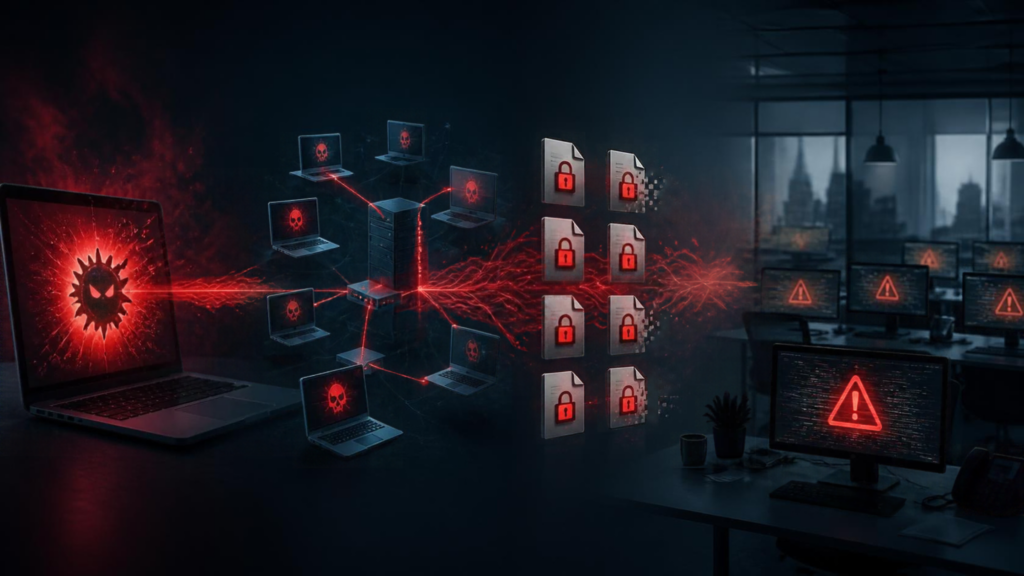
Ransomware is a malicious software used to encrypt files or disrupt access to systems, often accompanied by demands for payment. Modern ransomware incidents may also involve data theft and other malicious activity.
Attackers can move through an organization’s network before ransomware becomes visible. During that time, they may steal credentials, access sensitive data, establish ways to maintain access, and attempt to compromise backup systems.
That means the damage isn’t necessarily limited to encrypted files.
Even after affected systems have been restored, compromised accounts or other remaining attacker access could put the business at risk again.
The first challenge in ransomware recovery is understanding what happened and ensuring the threat has been contained—not simply restoring files as quickly as possible.
The False Sense of Safety: Why Backups Aren’t Enough
Backups are an essential safeguard, but they are only one component of a successful ransomware recovery strategy.
Several problems can prevent an organization from restoring operations.
Your Backups Could Be Inaccessible or Compromised
Attackers may target backup management systems or compromise credentials that provide access to recovery resources.
If backups are deleted, encrypted, or otherwise unavailable, recovering data becomes considerably more difficult.
Protected backups can reduce this risk. Depending on the environment, safeguards may include isolated copies, offline storage, immutable backups, and separate administrative access controls. Microsoft’s ransomware-resilient backup architecture guidance describes how isolation, immutability, and recovery testing help protect recovery options.
No single approach guarantees protection. The goal is to maintain trustworthy recovery options even when primary systems are compromised.
Your Backups May Not Contain Everything You Need
Restoring documents is different from restoring an operational business.
A functioning environment may also depend on applications, databases, configurations, identity systems, network connectivity, and recovery documentation.
Imagine restoring customer records only to discover that employees still cannot access the application needed to process orders.
The information may be available, but the business is not yet operational.
You May Not Know Whether Your Backups Work
A successful backup notification confirms that a backup process has completed. It doesn’t necessarily prove the data can be restored or that the restored systems will function properly.
Restoration testing helps organizations evaluate backup integrity, identify missing dependencies, and estimate how long recovery takes. Microsoft’s backup protection guidance details additional controls available for some backup environments.
An untested backup represents an assumption about recoverability—not demonstrated recovery capability.
What Ransomware Recovery Actually Involves
A coordinated ransomware recovery process involves more than recovering data. Organizations must address the security incident while restoring the technology their business depends on.
Step 1: Contain the Incident
Work with IT or incident-response specialists to isolate affected systems and prevent the attack from spreading. Avoid uncoordinated changes that could destroy evidence. CISA’s #StopRansomware Guide outlines coordinated containment and response practices.
Step 2: Identify What Was Affected
Investigate which systems, accounts, applications, and data were compromised. Determine whether attackers accessed sensitive information or interfered with recovery resources.
Step 3: Verify the Recovery Environment
Before restoring, identify trustworthy recovery points and ensure the destination environment is secure.
Restoring clean data into an environment where attackers still have access can create another incident.
Step 4: Restore Critical Systems First
Prioritize recovery according to business impact. Essential applications, identity services, and communication systems may need attention before less critical resources.
Step 5: Validate the Recovery
Confirm that employees can authenticate, applications function, data is accessible, and essential business processes operate correctly.
Step 6: Monitor After Restoration
Continue monitoring for suspicious activity and signs of renewed compromise. Recovery is not complete simply because systems are back online.
Define Recovery Priorities Before an Attack
Two business decisions shape a realistic ransomware recovery plan: how much information can you afford to lose, and how long can essential operations remain unavailable?
Recovery Point Objective (RPO) measures acceptable potential data loss in time. A four-hour RPO means planning for the possible loss of up to four hours of changes.
Recovery Time Objective (RTO) sets the target restoration time for a service after disruption. An eight-hour RTO means aiming to restore that service within eight hours—not guaranteeing it.
Set these priorities for each critical service, then test whether your actual recovery capabilities meet them.
Backup vs. Disaster Recovery vs. Business Continuity
These terms are related, but they serve different purposes.
| BACKUP | DISASTER RECOVERY | BUSINESS CONTINUITY |
|---|---|---|
| Preserves recoverable data | Restores technology and systems | Keeps essential business functions operating |
| Focuses on recovery copies | Focuses on restoration process | Focuses on operational resilience |
| Can we restore the data? | Can we restore the systems? | Can we keep working? |
A business may successfully restore its files while still being unable to serve customers, process transactions, or support employees.
Effective ransomware preparation connects all three disciplines.
How to Build a Ransomware Recovery Plan
Ransomware preparedness doesn’t require unlimited resources. It requires a recovery plan built around your business priorities.
Start with these seven actions:
- Identify critical systems. Determine which applications, services, and data are essential to daily operations.
- Define recovery objectives. Establish RPOs and RTOs based on what the business can realistically tolerate.
- Maintain protected backups. Use appropriate separation, access controls, and resilient storage methods.
- Protect backup credentials. Limit administrative privileges and secure access to recovery systems.
- Document recovery procedures. Record responsibilities, system dependencies, contacts, and restoration steps.
- Test recovery regularly. Confirm that critical resources can actually be restored.
- Review and update the plan. Revisit recovery priorities when business processes, technology, or personnel change.
Assign ownership to maintain the plan. A recovery strategy that depends entirely on one employee’s knowledge creates additional risk.
What Does Recovery Testing Look Like?
You don’t have to shut down your entire business to evaluate its recovery preparedness.
Testing can include restoring individual files, recovering a server into an isolated environment, validating application functionality, or simulating the loss of a critical business system.
A tabletop exercise can also help teams practice communication, decision-making, and recovery responsibilities without interrupting production systems.
More comprehensive exercises can assess dependencies between applications, identity services, and infrastructure.
Track how long restoration takes and compare the results with your RTOs. Verify whether recovered data meets your RPOs.
Document what worked, what failed, and what needs improvement.
The goal isn’t just to prove backups exist. It’s to know whether your business can recover when it matters.
Warning Signs Your Recovery Plan Needs Attention
Look closely if restoration has never been tested, recovery times are unknown, documentation is outdated, backup access depends on shared credentials, or only one employee understands the process. A plan should also account for recovery when the primary environment is unavailable.
These are not proof of failure, but they are important gaps to resolve before an attack.
What If the Poltergeist Is Already Here?
If you suspect an active ransomware attack, treat it as a security incident—not an ordinary backup restoration task.
Contact your IT or incident-response team immediately. Isolate affected systems where appropriate, preserve available evidence, and avoid restoring systems before the scope of compromise is understood.
Your response team should investigate affected accounts and data, verify recovery resources, and prioritize restoration according to business impact.
Continue monitoring restored systems and involve appropriate specialists when the incident exceeds internal capabilities.
An incident-response plan established before an attack helps teams make coordinated decisions when time matters most.
Recovery Goes Beyond Backups
The Poltergeist may have disappeared from your screens, but that doesn’t necessarily mean your business is ready to reopen its doors.
A backup is an important part of ransomware resilience. Real recovery means knowing that your data is trustworthy, your systems are secure, and your employees can safely resume essential operations.
The strongest ransomware recovery plans connect protected backups, tested restoration procedures, incident response, and business continuity.
Don’t wait until your business is locked down to discover whether your recovery plan works.

Ransomware Recovery FAQs
What Else Is Lurking: Explore Your Haunted Office
The Possessed Machine hiding on your network. The Impostor lurking in your inbox. The Poltergeist that refuses to leave. Each reveals a different business cybersecurity risk.
Missed the earlier hauntings? Discover how to find unknown devices on your business network in Blog 1, then learn how to spot AI-powered phishing emails in Blog 2.
Explore your Haunted Office with ISOutsource’s eight-question, 90-second IT Risk Office Quiz and start a conversation about where your business may be exposed.
Unsure whether your backups and recovery strategy are ready for ransomware? Talk with ISOutsource about backup, disaster recovery, and business continuity planning.
Talk to ISOutsource About Backup & Disaster Recovery - Meet with an expert!